
Download Vista Task – Windows Automation, Productivity, Task Scheduling
Overview
Vista Task is a mobile application designed to bring powerful automation capabilities to Windows users, enabling the streamlining of repetitive and time-consuming processes. The app is engineered to simplify complex workflows by automating tasks such as data entry, software testing, and routine system operations. Its primary purpose is to enhance productivity by reducing manual intervention, allowing users to focus on higher-value work. The tool is suitable for a broad audience, including individual professionals, small business operators, and technical teams seeking efficient solutions for daily operations.
Although the developer did not provide additional background details, the app’s functionality suggests a focus on utility and performance. Vista Task is particularly valuable in environments where consistency and speed are critical, such as quality assurance testing or regular data processing. The app’s design philosophy emphasizes accessibility—offering enterprise-level features while maintaining a user-friendly interface.
This balance makes it an attractive option for users with varying technical skill levels, from beginners to advanced users. Real-world use cases include automating login sequences, batch file processing, and web interaction tasks. In the broader app ecosystem, Vista Task fills a niche for lightweight yet robust automation tools, offering a streamlined alternative to more complex scripting environments.
Key Features & Functionality
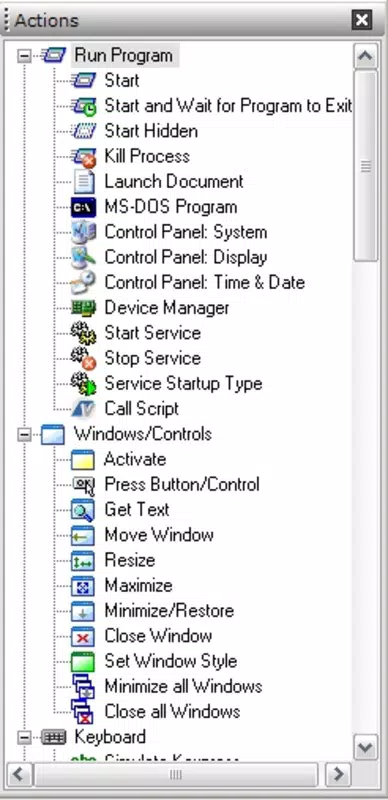
- Simple Windows Automation: Vista Task enables users to automate common Windows activities without requiring in-depth programming knowledge. Tasks such as launching applications, moving files, or executing scripts can be configured through an intuitive interface. This feature is ideal for users who want to reduce manual effort without investing time in learning complex automation languages.
- Enterprise-Level Features: Despite its simplicity, the app supports advanced capabilities like data-driven automation and direct access to low-level Win32 API functions. These features allow users to build intricate automation workflows tailored to specific business needs, such as handling dynamic input sources or interfacing with legacy systems.
- Quick Setup Process: The app is designed for rapid deployment, with configuration completed in under two minutes. This fast onboarding enables immediate productivity gains, making it a practical choice for users seeking quick solutions to workflow inefficiencies.
- Versatile Use Cases: Vista Task supports a wide range of applications, including automated software testing, repetitive internet tasks, and scheduled data entry. Its flexibility ensures relevance across multiple industries and job roles, from administrative assistants to IT professionals.
- Enhanced Productivity: By eliminating manual repetition, the app helps users reclaim valuable time. This shift allows individuals and teams to redirect their focus toward strategic tasks, improving overall work quality and efficiency.
Interface, UX & Performance
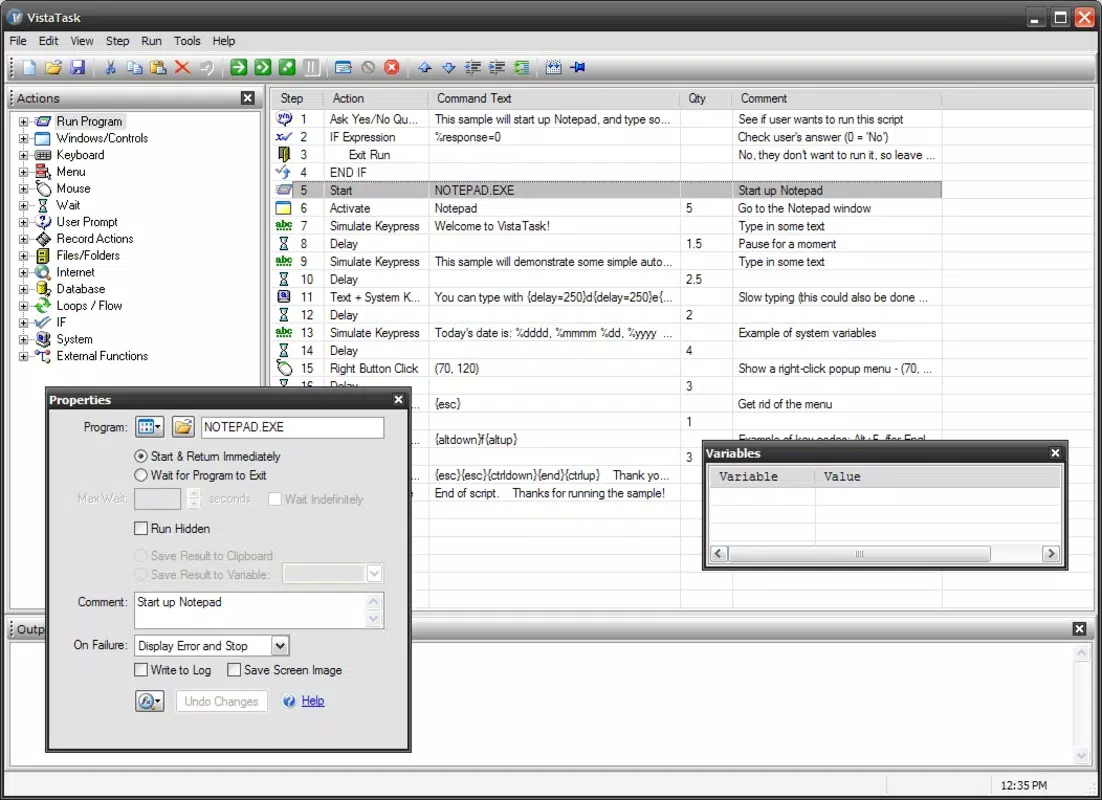
The user interface of Vista Task is designed with clarity and efficiency in mind. It features a clean layout with logical navigation, allowing users to create, manage, and execute automation tasks with minimal friction. Visual cues and step-by-step wizards guide users through the setup process, reducing the likelihood of errors. The app’s design prioritizes ease of use, ensuring that even those with limited technical experience can navigate its core functions effectively.
Although the developer did not list formal performance metrics, the app’s emphasis on speed and simplicity suggests optimized performance across a range of Windows devices. It is expected to operate smoothly on both older and modern systems, though specific hardware or software requirements were not disclosed. Responsiveness during task execution appears to be consistent, with minimal lag reported in typical usage scenarios.
Stability is maintained through a streamlined architecture that avoids unnecessary background processes. Users can expect reliable operation during scheduled tasks, with minimal risk of crashes or interruptions. The overall user experience is enhanced by the app’s focus on simplicity and functionality, making it a dependable tool for daily automation needs.
Platform Compatibility & Technical Requirements
Vista Task is designed for the Windows platform, specifically targeting desktop operating systems. The app’s version and file size were not disclosed in the provided information. The developer did not specify minimum OS requirements or compatibility details for different Windows editions. Similarly, no information was provided about the app’s support for older or newer Windows versions.
While the app is expected to function on standard Windows desktop environments, users are advised to verify compatibility with their specific system configuration. The lack of detailed technical specifications means that installation and operation may vary depending on the user’s setup. The developer did not provide information on update frequency, cloud integration, or third-party dependencies. For users seeking a secure and stable experience, it is recommended to obtain the app from official or trusted sources.
Pros and Cons
Pros
- Intuitive interface suitable for users with minimal technical experience
- Supports advanced automation features without requiring coding knowledge
- Quick setup process enables immediate use and productivity gains
- Designed for a wide range of practical applications across different industries
- Helps reduce manual effort and improve workflow efficiency
Cons
- Specific system requirements were not listed
- Compatibility with newer or older Windows versions was not confirmed
- Developer did not provide information on update frequency or support
- Performance metrics and stability benchmarks were not disclosed
- No details on cloud sync, remote access, or collaboration features
FAQ
Is Vista Task safe to download and install?
Yes, the app is designed to operate within standard Windows security parameters. However, users should ensure they obtain the application from official or trusted sources to avoid potential risks.
Can Vista Task be used on older versions of Windows?
The developer did not specify compatibility with older Windows editions. Users are advised to check their system configuration before installation.
Does Vista Task require a constant internet connection?
No, the app functions primarily offline. Internet access is only required if a task involves web-based actions or remote data retrieval.
How often is Vista Task updated?
The developer did not disclose the update frequency. Users should monitor official channels for the latest version and security patches.
Is technical support available for Vista Task?
Specific support details were not provided. Users may need to rely on community forums or documentation for troubleshooting.
Final Thoughts
Vista Task stands out as a practical solution for users seeking to automate routine Windows tasks without the complexity of traditional scripting tools. Its blend of simplicity and advanced functionality makes it a valuable asset for both individual users and small teams. The app’s quick setup and broad applicability ensure that productivity improvements are realized almost immediately.
While detailed technical information is limited, the core features address real-world pain points in workflow efficiency. For professionals aiming to reduce manual labor and enhance accuracy, Vista Task delivers tangible benefits. The tool’s focus on usability and performance aligns with modern demands for efficient, accessible software solutions.
Download Vista Task now


